What Is Meero?
Meero is a visual content platform that combines a huge network of professional photographers with AI tools that edit and enhance photos at scale. It is designed mostly for businesses that need a lot of consistent, high quality photos for websites, apps, and online listings, but solo creators can benefit from its AI photo enhancer tech too.
The company focuses on making images that boost engagement, so the AI is trained to check quality, fix issues, and enhance photos so they look clean, bright, and consistent across a brand. In short, think of this Meero review as a tour of a quiet robot editor that works in the background while your human photographers focus on shooting.
Main Features
i. AI Photo Enhancer and Auto Editing
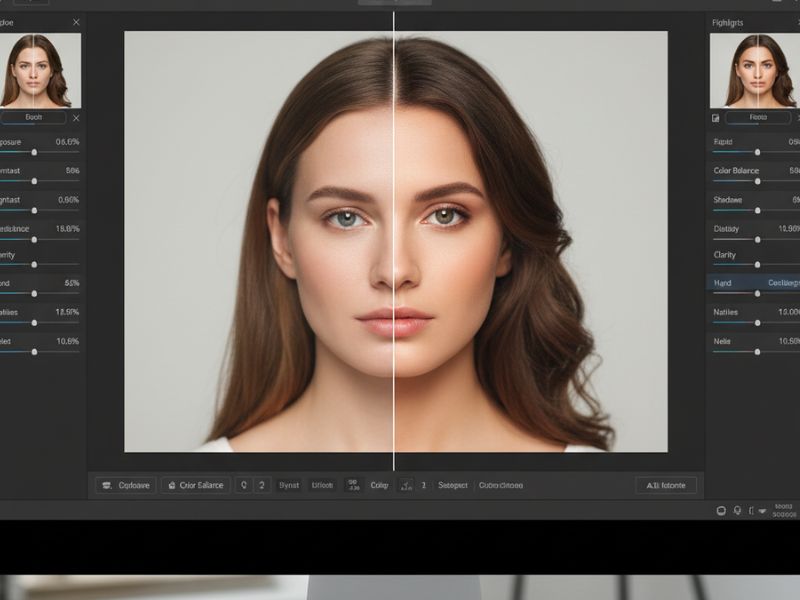
Meero’s AI photo enhancer fixes brightness, contrast, and colors to match your brand. It makes photos look pro without manual tweaks.
ii. End to End Workflow
Book photographers, get shoots done, and let AI handle edits and delivery. Less chasing files, more ready images.
iii. Quality Control
AI standardizes exposure and style across all photos, even from different shooters. Your visuals stay consistent.
iv. Fast Scale Editing
Upload tons of images; AI processes them quickly for quick turnarounds. Perfect for big catalogs.
v. Industry Focus
Tuned for real estate, food, ecommerce. AI photo enhancer knows what makes those photos sell.
How Does It Help?
i. Saves Time on Editing
Instead of humans spending hours tweaking exposure and color, Meero’s AI photo enhancer automates the boring parts of editing. Photographers can accept more shoots, and marketing teams can push campaigns live faster.
For a small business, that might mean one person can handle work that used to need an entire content team. For bigger brands, it can turn a slow pipeline into a fast conveyor belt.
ii. Boosts Conversion and Engagement
Better photos generally mean more clicks, more time on page, and more sales, and Meero is built specifically to create the kind of high quality visuals that perform well online. When your real estate photos suddenly stop looking like they were shot on a potato, people actually want to tap and explore.
This AI photo enhancer does not just “prettify” things for fun; it supports measurable business goals like booking more stays, selling more dishes, or moving more products. Any honest Meero review has to highlight that.
iii. Keeps Brand Look Consistent
If you work across multiple cities or work with multiple photographers, style chaos is real. Meero’s AI runs quality checks so colors, brightness, and overall look stay consistent, making your brand feel more trustworthy.
You no longer have one listing that looks like a dreamy magazine spread and another that looks like a crime scene photo. The AI photo enhancer pulls everything into the same visual “accent.”
iv. Reduces Operational Headaches
Meero handles things like booking, file delivery, and automated editing so your team can focus on strategy and creative ideas rather than chasing ZIP files and invoices. In this Meero review, that back office automation is almost as important as the AI photo enhancer itself.
Less manual coordination means fewer errors, less stress, and fewer “hey, did anyone get the photos from last week?” messages at 11 pm.
v. Scales with Your Growth
Because Meero’s AI tools and photographer network are built for scale, you can grow from a few shoots a month to thousands of images without melting your team. The AI photo enhancer does not complain when you upload a mountain of photos; it just keeps chewing through them.
That makes Meero attractive for fast growing platforms that cannot afford to slow down just because their photo needs exploded. It is no surprise many large brands appear in almost every serious Meero review.
Stay ahead with our Tool of the Day—one brilliant AI or tech gem spotlighted daily to elevate your workflow. For deeper breakthroughs, our Weekly Tech & AI Update delivers trends, tips, and future-ready insights. One scroll could change your game. Go explore.
Fun, Detailed Examples
a) The Hungry Food Delivery App
A food delivery startup realizes half its restaurant photos look like sad leftovers. Meero steps in, sends local photographers, and then runs everything through its AI photo enhancer, brightening colors and making dishes pop on the screen. Suddenly, fries look crispy, burgers look juicy, and customers are much more likely to tap “Order,” while the team pretends it was all part of a genius strategy.
b) The Real Estate Agent with Dark Photos
An agent keeps uploading apartment photos that look like a storm is coming. With Meero, shoots are done by pros, and the AI automatically brightens rooms, corrects white balance, and sharpens details. Now, even tiny studio flats look airy and inviting, and the agent stops losing leads to brighter listings down the street.
c) The Ecommerce Brand That Grew Too Fast
A fashion brand scales from 20 products to 2,000 and suddenly every product photo looks slightly different. Meero’s AI photo enhancer standardizes lighting and background, making the catalog look clean and unified. Customers finally feel like they are browsing a serious brand, not a digital flea market.
d) The Marketplace Cleaning Up User Listings
An online marketplace lets users upload their own product images, which leads to chaos: some are yellow, some are blurry, some look like CCTV footage. Meero’s AI steps in behind the scenes to enhance, sharpen, and standardize images before they go live. Sellers are happy because their stuff looks better, and buyers are happy because they can actually see what they are buying.
e) The Hotel Chain Rebranding
A hotel group decides to refresh its online look but has photos shot by different people at different times. Meero manages new shoots and uses its AI photo enhancer to give everything a consistent, modern style. Now the whole chain looks unified online, even if half the hotels still secretly love their old carpet.
f) The Solo Creator with Too Many Photos
A solo creator running Airbnb listings and an online shop is drowning in raw images. By plugging into Meero, they get pro style edits and AI enhancements without learning heavy software. Their photos suddenly look “expensive,” even though the only thing that changed was letting AI do the heavy lifting.
Getting Started in 3 Steps
i. Visit the Meero Website
Go to the official Meero site at https://www.meero.com and explore the sections for your industry, like real estate, food, or ecommerce. This gives you a sense of how the AI photo enhancer and service model fit your needs.
ii. Create an Account and Share Your Needs
Sign up, add your business details, and specify what kind of visuals you need, such as property shoots, food menus, or product catalogs. Meero uses this information to recommend the right services and workflows.
iii. Book, Upload, and Let AI Work
You can book shoots with photographers or upload existing images for editing, and Meero’s AI photo enhancer handles the rest. Edited photos are delivered through the platform, ready for your site or app without extra drama.
Use Cases
i. Real Estate Listings
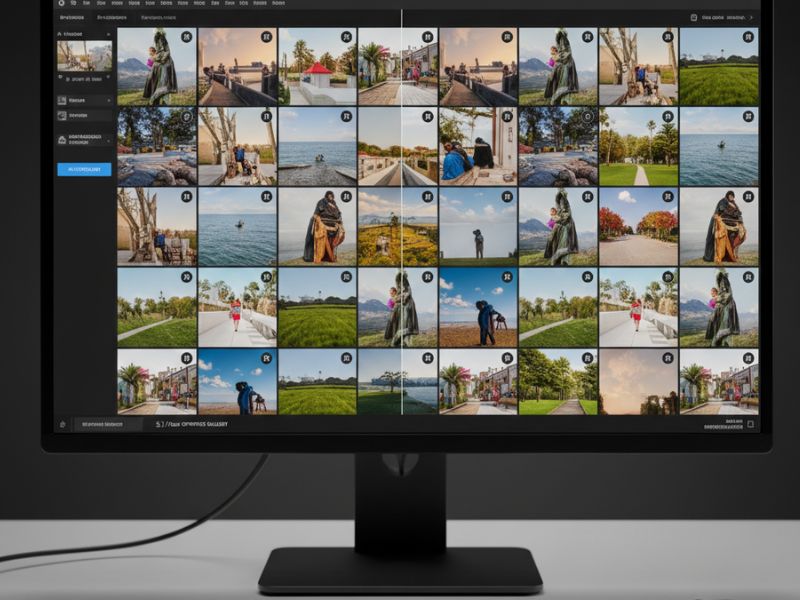
Property managers and agents use Meero to shoot and enhance photos of apartments, houses, and commercial spaces, making them look brighter and more appealing. The AI photo enhancer ensures each listing has a consistent look, which helps build trust with potential buyers and renters.
ii. Food Delivery and Restaurant Menus
Food delivery platforms and restaurants use Meero to make dishes look more appetizing in apps and on websites. The AI carefully enhances color and clarity so pasta looks saucy, not sad, and desserts look like they belong in a TV commercial.
iii. Fashion and Ecommerce
Online stores rely on Meero for product photos with clean backgrounds and consistent lighting, especially when they have large catalogs. The AI photo enhancer polishes images so customers can clearly see materials, colors, and details, leading to fewer confused returns.
iv. Travel and Hospitality Platforms
Hotels, vacation rentals, and travel platforms use Meero to showcase rooms, lobbies, and experiences in the best light. Consistent, high quality imagery makes it easier for guests to trust what they see and feel confident booking.
v. Marketplaces and Classifieds
Large online marketplaces plug Meero into their workflows so images uploaded by sellers can be cleaned up and improved automatically. The AI photo enhancer reduces the number of blurry, low effort photos, which keeps the whole platform looking more professional.
vi. Retail Chains and Franchises
Retail and franchise brands use Meero to standardize photos of stores, products, and promotions across many locations. This makes their marketing materials look unified, even if the stores themselves occasionally improvise in real life.
vii. Professional Photographer Support
Freelance photographers can also use Meero’s services and AI tools to reduce editing time and accept more shoots. The AI photo enhancer becomes their invisible assistant, letting them focus on the fun part: actually taking photos.
Real Life Examples with a Smile
i. The Landlord Who Finally Won
A landlord kept wondering why nobody booked the apartment that “looks great in person.” After using Meero for a new shoot and AI editing, the listing views jumped, and bookings followed. Nothing changed in the flat, but the photos stopped looking like security camera stills, and suddenly people believed it actually had windows.
ii. The Café That Looked Tasty Again
A cozy café’s online menu made croissants look like sad bread accidents. Meero’s photographer and AI photo enhancer fixed the lighting and colors, turning the pastries into golden, flaky stars. Customers started saying “I saw your photos and had to drop by,” which is a much nicer review than “I came because I was nearby and hungry.”
iii. The Startup That Stopped DIY Shooting
A small ecommerce startup tried doing all product photos on a phone against a wrinkled bedsheet. After switching to Meero, they got pro product shots and AI enhanced images with clean backgrounds. Sales improved, and the bedsheet retired from modeling to go back to being just a bedsheet.
iv. The Hotel That Went from Meh to Wow
A hotel’s website looked dull, even though the property was quite nice. Meero arranged updated photos and AI editing that brightened rooms and highlighted views. Guests started arriving saying, “The hotel looks just like the photos,” which is the exact opposite of the usual travel horror story.
v. The Marketplace Moderator’s Secret Weapon
A marketplace moderator was tired of users uploading photos that looked like they were taken with a calculator. After Meero’s AI photo enhancer was integrated, many of those images were automatically cleaned up and standardized. Shoppers got clearer visuals, and the moderator finally had time to drink coffee while it was still hot.
vi. The Agency That Needed to Scale Fast
A marketing agency took on a huge new client and suddenly had hundreds of product shoots to manage. Meero handled photographer coordination and AI editing so the agency did not collapse under a mountain of RAW files. The team got to present polished visuals on time and pretended it was all under control from day one.
vii. The Photographer Who Got Weekends Back
A freelance photographer used to spend weekends editing photos instead of enjoying life. By using Meero’s AI editing pipeline, they delivered jobs faster and accepted more clients, while still keeping weekends mostly free. The AI photo enhancer became the intern they always wanted, minus the need to buy coffee.
Common Mistakes People Make
i. Expecting Magic Without Good Input
Some users think the AI photo enhancer can fix absolutely anything, including badly framed, dark, or shaky shots. In reality, Meero works best when the original photos are at least basically well composed. A simple example: if half the room is cut out of the frame, no AI can magically guess what furniture is missing.
ii. Ignoring Brand Guidelines
Teams sometimes forget to tell Meero what their brand style is, like preferred color tones or contrast levels. Then they are surprised when the AI photo enhancer produces results that are clean but not quite “on brand”. For example, a minimalist brand might want cooler, softer tones, but without clear guidelines the AI may choose warmer, punchier edits.
iii. Uploading Inconsistent Source Photos
If you upload photos shot on different cameras, with wildly different settings, in random lighting, the AI will do its best but results can still vary. Meero’s power shows best when your source photos follow at least a basic standard, like similar angles and lighting. Think of it this way: giving the AI photo enhancer a neat stack of similar images is better than dumping a chaotic “photo soup” on its head.
iv. Not Planning for Scale Early
Some businesses only think about systems like Meero when their image needs already exploded. That means they face a painful transition period where old messy workflows and the new AI powered workflow clash. A simple example is a marketplace that first allows any user image quality and only later tries to standardize, forcing a huge cleanup job.
v. Forgetting Human Review
While Meero’s AI is strong, some teams make the mistake of skipping human review entirely, assuming the AI photo enhancer is never wrong. In critical campaigns or high stakes visuals, a quick human check can catch small issues like awkward crops or tiny details the AI missed. For example, you do not want a sign with slightly wrong text sneaking into a nationwide ad just because no one took a last look.
vi. Over editing for Drama
Occasionally, people push for more extreme edits thinking “brighter is always better.” Overdoing enhancement can make photos look unnatural, even if the AI did exactly what you requested. An easy example is real estate: if the AI photo enhancer is pushed too far, rooms can look glowing and unreal, leading visitors to feel misled when they arrive.
vii. Using Meero Only for One Channel
Some brands use Meero just for their website and forget they can reuse the AI enhanced photos on apps, social media, and print too. A simple example: a restaurant could use the same polished dish photos for delivery apps, in store menus, and social posts, instead of running three separate photo workflows.
Simple Mistake Examples
a) Shooting a room at night with no lights on and expecting the AI photo enhancer to turn it into a sunny morning scene.
b) Uploading half vertical, half horizontal product shots and then wondering why the catalog layout looks messy.
c) Forgetting to share logo, colors, or style references, so edited images feel generic instead of clearly “your” brand.
d) Approving AI edited images without anyone checking them before a big campaign, then spotting a tiny but embarrassing detail on launch day.
e) Using beautiful Meero images only on the homepage while leaving your app and listings with old, blurry photos.
Friendly Wrap Up and Beginner Tips
Meero sits at the sweet spot between human creativity and AI efficiency, helping brands get great visuals without drowning in editing. Its AI photo enhancer tools, large photographer network, and end to end workflow make it a strong option for anyone who relies on images to attract customers online.
Beginner friendly tips to start strong:
- Start with one project, like real estate listings or a product launch, before moving your entire photo pipeline.
- Share clear examples of photos you like so the AI photo enhancer and editors understand your style.