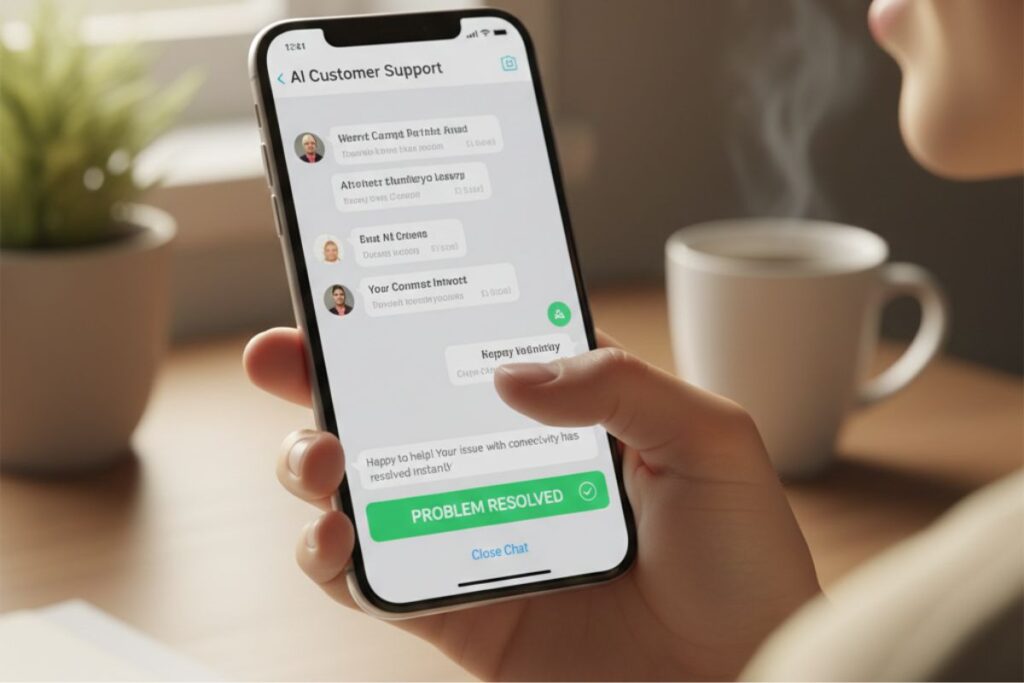
YourGPT is an AI for customer care that learns directly from your website, help center, and documents to answer customer queries in your brand’s voice. It works as an AI chatbot for support that can resolve most common issues by itself, while passing complex cases to human agents when needed.
Instead of canned replies, YourGPT reads your actual knowledge base and uses it to give specific, accurate answers. The best part is that it runs 24/7, never asks for a coffee break, and never says “sorry, that’s not my department”.
You can check it out here: https://yourgpt.ai/chatbot.
Main Features
- Trained On Your Content
YourGPT learns directly from your website and FAQs, giving accurate, brand-approved answers every time. - Multi-Channel Support
Works on your website, email, SMS, WhatsApp, and social platforms for consistent customer replies everywhere. - Customizable Personality
You control the bot’s tone and style so it matches your brand voice perfectly. - Smooth Human Handoff
Automatically passes tricky questions to human agents to avoid customer frustration. - Scalable And Reliable
Handles thousands of chats simultaneously without breaks, growing with your business needs.
How Does It Help?

a. Faster Replies, Happier Customers
Customers get instant answers anytime, cutting wait times to zero. No more long queues or delayed emails. This boosts satisfaction and keeps users coming back.
b. Lower Workload For Support Teams
Routine questions get handled automatically, freeing agents for tough cases. Teams avoid burnout and focus on what matters. Costs drop as efficiency rises.
c. Consistent, On-Brand Answers
Every reply matches your style and facts, no matter the channel. Customers trust reliable info every time. No mixed messages from different agents.
d. Easy Setup, No Developer Drama
Paste URLs, tweak settings, and launch fast without code. See results in hours, not weeks. Non-tech teams can manage it solo.
e. Better Insights From Conversations
Spot trends in questions to fix docs and products. Turn support data into growth ideas. Stay ahead of customer pain points.
Stay ahead with our Tool of the Day—one brilliant AI or tech gem spotlighted daily to elevate your workflow. For deeper breakthroughs, our Weekly Tech & AI Update delivers trends, tips, and future-ready insights. One scroll could change your game. Go explore.
Real Examples That Bring It To Life
SaaS Startup: A pricing page bot answers plan and invoice questions overnight. Founders finally sleep, churn drops, inbox rage cools.
E‑Commerce Store: Order and shipping FAQs become instant replies. Customers get calm AI care at 2 a.m., team dreams of carts that never abandon.
Coaching Platform: Course schedules and fees handled by an AI chatbot for support. Staff teach instead of copy‑pasting class timings.
Fintech App: Security and compliance explained in plain language. Customers feel reassured with quick, clear answers.
Local Marketplace: WhatsApp bot manages bookings and cancellations. Small team focuses on growth while ticket volume shrinks.
Membership Community: Portal bot answers “recordings” and “Discord link” daily. Moderators gain freedom, AI becomes the always‑online admin.
Getting Started In 3 Steps
Step 1: Sign Up And Connect Your Content
Go to the YourGPT chatbot page at https://yourgpt.ai/chatbot and create an account. Next, add your website URLs, upload PDFs, or connect your help center so the AI for customer care has material to learn from. The more complete your content, the smarter your AI chatbot for support will be.
Step 2: Configure Behaviour And Branding
Set your bot’s name, personality, and tone. Decide how formal or friendly you want it to be, how it should greet users, and when it should escalate to humans. You can also define limits, like topics it should avoid or rules for refunds and discounts.
Step 3: Deploy On Your Channels
Embed the widget on your website, and connect channels like WhatsApp, Messenger, or email if you use them. Run a few test chats to make sure the AI for customer care behaves as expected. Once you are happy, you can roll it out to all visitors and watch your AI chatbot for support quietly take over the boring stuff.
Use Cases

i. SaaS Product Support
SaaS companies can use YourGPT to answer questions about features, onboarding, billing, and integrations. New users can ask, “How do I connect this with Zapier?” and get a clear answer, without waiting for a human agent across time zones.
ii. E-commerce Order And Returns Help
Online stores can deploy the AI for customer care to handle order tracking, returns, exchanges, and product questions. Customers get instant replies about delivery dates and return rules, while staff focus on high-value VIP cases or tricky fulfilment issues.
iii. EdTech And Online Courses
Course platforms can answer queries about curriculum, schedules, certificates, and payment issues through the AI chatbot for support. Students who study late at night can still get help when support teams are offline.
iv. Financial Services And Fintech
Fintech apps can use YourGPT to explain KYC, account limits, loan terms, or card rules in simple language. The AI for customer care helps reduce confusion and support load, while sensitive cases still get escalated to human agents.
v. Marketplaces And Platforms
Marketplaces that connect buyers and sellers can use the AI chatbot for support to answer common questions from both sides. This includes help with listings, payments, disputes, and account access, reducing manual back-and-forth.
vi. Memberships, Communities, And Creators
Creators and communities can use YourGPT for FAQs like access issues, content schedules, renewal dates, and perks. The AI for customer care helps keep community managers from turning into full-time inbox firefighters.
vii. Internal IT And HR Helpdesk
Companies can train the bot on internal policies, IT FAQs, and HR documents. The AI chatbot for support then answers staff questions about VPN, leave policy, or expense rules, while IT and HR teams handle edge cases.
Real-Life Examples With A Touch Of Humour
- The startup founder who was doing support from their bed at midnight finally installed YourGPT. Next week, their biggest late-night task was choosing a new Netflix show, because the AI for customer care quietly handled “Forgot my password” messages.
- An e-commerce store owner used to get angry emails saying “Your chat is never online”. After adding the AI chatbot for support, customers started writing “Thanks for replying so fast” at 3 a.m., while the owner was fully asleep, dreaming of low return rates.
- A course creator was stuck answering “Will I get a certificate?” in DMs every single day. Once YourGPT went live, the AI for customer care explained certificate rules over and over without a hint of boredom, while the creator went back to, you know, creating.
- A small fintech app had users panicking about blocked cards on weekends. The AI chatbot for support calmly walked them through verification steps and FAQs, while the founding team finally enjoyed a Sunday that did not involve emergency calls and caffeine overload.
- An HR team rolled out YourGPT internally to answer leave and policy questions. Employees stopped asking “Whom should I email for this?” because the AI for customer care already had the answer, and HR could finally close those 32 open spreadsheet tabs.
- A marketplace team joked that their AI bot deserved an employee of the month award after it handled thousands of repetitive “Where is my payout?” chats. The AI chatbot for support did not get a trophy, but it did get a lot of traffic.
Common Mistakes To Avoid
- Expecting Magic Without Good Data
Teams launch with weak or outdated docs, so the bot gives vague answers. Customers get frustrated fast. Feed it clear, fresh content first for smart replies. - Hiding The Human Option
No clear “talk to a person” button traps users in loops. They feel stuck and post rants online. Always show an easy escalation path. - Not Testing Before Going Live
Deploying without checks means old info or weird replies go public. Real users spot errors immediately. Test chats internally first. - Using A Tone That Does Not Fit
Fun brand with stiff replies? Or formal one cracking jokes? It confuses everyone. Match the bots voice to your style. - Ignoring Analytics And Feedback
Set it and forget it leads to outdated answers as products change. New questions pile up unanswered. Check logs weekly and update. - Trying To Automate Everything On Day One
Pushing complex issues to the bot overwhelms it and annoys users. Start simple, then grow. Let humans handle the tricky stuff early.
Simple Examples Of These Mistakes
i. A store launches the bot without updating return policy pages, so the AI for customer care gives last year’s holiday rules and confusion follows.
ii. A SaaS app hides the “talk to a human” button, and frustrated users start posting screenshots of their looped chats on social media.
iii. A serious banking brand sets the AI chatbot for support to greet people with “Heyyy bestie”, which goes about as well as expected.
iv. An HR team never checks analytics, so they do not realise half of employees are asking the same new question the bot cannot answer.
v. A startup tells the bot to handle billing disputes from day one, and quickly learns that some conversations still need a human touch.
Friendly Conclusion And Tips For Beginners
YourGPT is a powerful yet simple way to bring AI for customer care into your business without a huge learning curve. It lets an AI chatbot for support handle repetitive questions so your team can focus on real problem-solving and growth.
Tips for beginners:
- Start small with 1 or 2 key areas like FAQs or order tracking, then expand.
- Keep your documentation clean and updated so the AI for customer care has good material.
- Always give users a visible way to reach a human when needed.
- Review chats weekly and adjust content and rules for your AI chatbot for support.
- Treat the bot as a helpful teammate, not a full replacement for human empathy.